15 Ways to Overcome Communication Challenges in Last Mile Delivery
Drafted with AI assistance and published by the Locate2u Editorial Team. See our editorial policy.

Every last mile delivery passes through three people: the customer who placed the order, the dispatcher who planned it, and the driver standing at the door. Communication problems happen at the handoffs between them.
A gate code sits in an email the driver never sees. A dispatcher changes a route and the driver finds out at the wrong address. A customer gets a message they cannot understand, or no message at all, and the parcel goes back to the depot.
This guide works through the four challenges that cause most of those failures, with fifteen practical ways to overcome them. Most rely on habits as much as software, though good last mile delivery software makes each one easier to keep up. If you are choosing the tools themselves, our guide to real-time communication tools for last mile delivery covers what each one does.
Challenge one: information never reaches the driver
The customer often tells you exactly what the driver needs to know. The problem is where that information ends up.
1. Collect access details at the time of order
Ask for gate codes, buzzer numbers, loading dock hours and "leave with reception" instructions when the order is placed, not when the driver is already outside. Use dedicated custom fields for these details rather than a free-text comment box that gets skipped.
2. Put instructions on the stop screen
Instructions belong where the driver looks at the moment of delivery, on the stop itself, next to the customer name, phone number and time window. If the driver has to scroll back through a message thread to find a code, the code will be missed.
3. Validate addresses before the route goes out
A wrong unit number or a suburb typed into the street field is a communication failure that happens before the driver even leaves. Geocode and validate addresses when orders are imported, and fix the doubtful ones in the office while there is still time to call the customer.
4. Record what drivers learn on site
Drivers find out things the order form never captured: the side entrance, the dog in the yard, the receptionist who leaves at noon. Ask them to add a delivery note when they discover something useful, then copy it into the customer's details so the next driver knows too.
Challenge two: driver and dispatcher out of sync
When plans change during the day, the driver and the office can end up working from two different versions of the route.
5. Move routine updates out of phone calls
Phone calls interrupt driving and leave no record. Use in-app messages and push notifications for new stops, schedule changes and reassigned jobs, and save calls for the things that need a conversation. Our article on how a driver app boosts manager and driver communication covers this in more depth.
6. Agree on a short list of status updates and failure reasons
"Done", "sort of done" and "had an issue" mean different things to different people. Give drivers a fixed set of statuses (arrived, in progress, completed, failed) and a short list of failure reasons such as "no one home", "no access" or "wrong address". The office can then act on the update without phoning to ask what happened.
7. Decide what drivers can decide alone
Write down the calls a driver can make without asking, such as leaving a parcel in a safe place when the customer has allowed it. Then list the ones that need dispatch, like returning high-value goods or skipping a time-critical stop. Clear rules cut the number of "what should I do?" calls, and drivers make consistent choices.
8. Let alerts tell dispatch about problems
Dispatchers should not have to watch the map all day to spot trouble. Set alerts for a driver falling behind schedule, a failed job or a vehicle leaving its zone, so the office can warn the next customers before they start calling.
Challenge three: language and clarity
Many delivery teams include drivers who speak English as a second language, and many deliveries go to customers who do too. Unclear wording causes as many failures as missing wording.
9. Write instructions in short, plain steps
Keep each instruction to one action: "Use side gate. Code is on stop notes. Leave at back door." Avoid slang, abbreviations and local nicknames for places. If a translation app has to guess what you meant, the driver will be guessing too.
10. Use photos where words struggle
For complex sites such as large apartment blocks, industrial estates or hospital loading bays, a photo of the right entrance is clearer than a paragraph. A photo captured on a previous delivery can show the next driver exactly where to go, whatever language they read best.
11. Rewrite customer messages without logistics jargon
"Consignment manifested" and "attempted, carded" mean nothing to most customers. Say what happened and what they should do next: "Your order is on the way and should arrive this afternoon" or "We could not deliver today, reply to choose a new time." If many of your customers speak another language, have a native speaker check your templates.
Challenge four: the customer cannot be reached
The most expensive communication failure is the one that ends in a failed attempt and a second trip.
12. Warn customers before the driver arrives
A "driver is nearby" message gives the customer time to come to the door, open the gate or reply with a safe place. A live tracking link with an ETA does the same job for customers who would rather check than wait for a text.
13. Give drivers a doorstep contact routine
Decide what a driver does when nobody answers: knock, call the customer from the stop screen, text, wait a set time, then follow your safe place or return rule. A shared routine means every customer gets the same chance to receive their order, whichever driver turns up.
14. Document failed attempts and send the next step
When a delivery fails, the driver records the reason and takes a photo. The customer then gets a failed delivery notice that tells them how to reschedule. Clear proof also prevents disputes later. Franz Building Supplies paired photo proof of delivery with live tracking links and saw its customer delivery disputes drop to nearly zero.
15. Review failure reasons every week
Failure reasons are free research. If "no access" keeps appearing at the same addresses, your order form is missing a field. If "no one home" clusters in one time window, your delivery windows need work. Customer ratings after delivery add the customer's side of the same story. For a deeper look at root causes, see what actually causes failed deliveries.
Where to start
You do not need to fix all four challenges at once. Look at last month's failed and late deliveries and sort them by cause. The biggest pile tells you which challenge to tackle first.
For many teams it is access details, because they are the easiest to collect and the most painful to miss. For others it is the dispatcher's phone, which rings all day because drivers and customers have no other way to get an answer.
Communication gaps are also part of a bigger set of operational problems. Our overview of last mile delivery challenges and how to overcome them puts them in context, and where last mile visibility breaks shows the handoffs in detail.
Putting it into practice
Most communication challenges in last mile delivery come down to the right information not reaching the right person at the right moment. Capture it early, put it where it will be seen, say it plainly and close the loop when something goes wrong.
Do that consistently and you will see fewer second attempts, fewer calls to the office and fewer customers wondering where their order went.
To see how automated customer updates and driver notes would work on your own deliveries, request access to Locate2u.

Related Articles
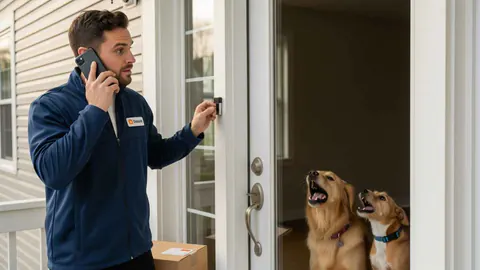
Last Mile Delivery Communication: 10 Fixes for Missed Updates
Missed delivery updates cause failed drops and repeat calls. Ten practical fixes, from accurate delivery windows and live tracking to two-way messaging.
How to Improve Last Mile Delivery Without More Vehicles
Five ways to improve last mile delivery without adding vehicles: route optimization, tighter windows, fewer failed drops, smarter loading and better data.
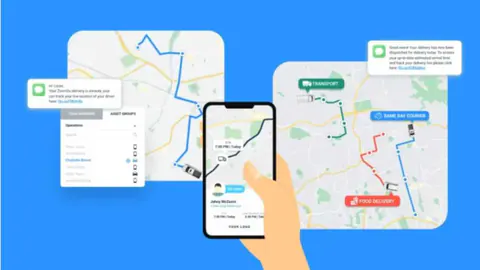
Last Mile Delivery Explained: The Basics and Beyond
Last mile delivery explained: what it is, why it is the costliest leg of the journey, the challenges it brings, and the tools and tactics that solve them.