Dispatch and Delivery Planning Software: A Dispatcher's Day
Drafted with AI assistance and published by the Locate2u Editorial Team. See our editorial policy.
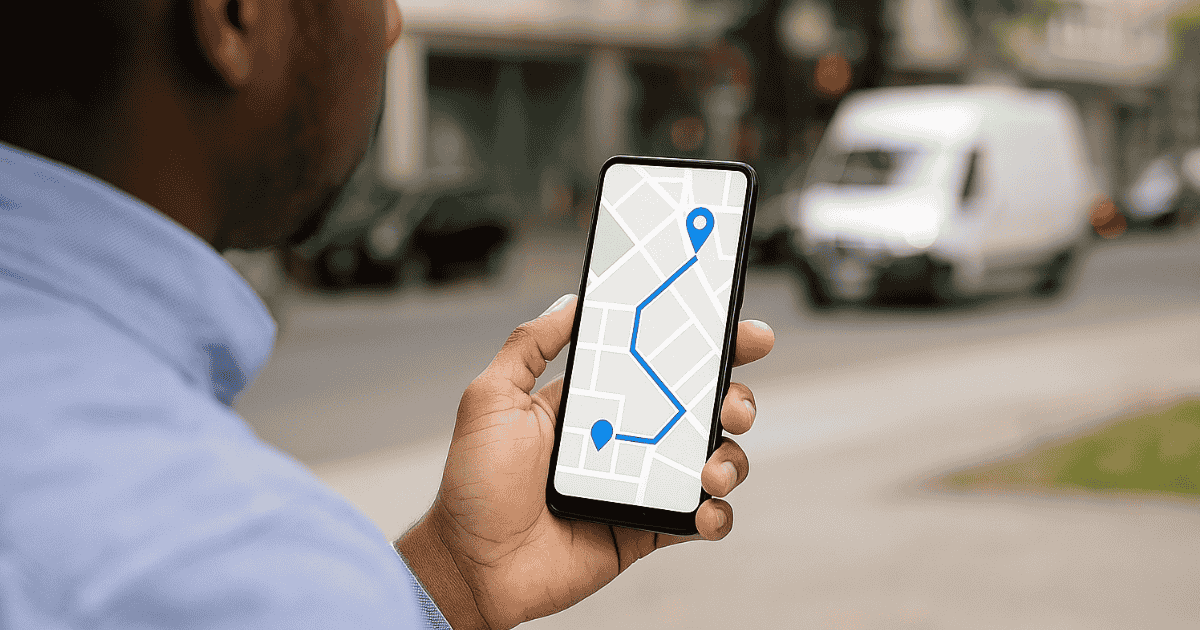
Most articles about dispatch and delivery planning software list features. That is useful, but it does not tell you what the software actually does for the person running dispatch, or where it saves time and where it does not.
So this guide follows a single delivery day, from the afternoon before to the end-of-day review. At each stage it covers what the dispatcher is doing, what the software takes off their plate, and what to check when you evaluate a tool.
The examples use Locate2u's dispatch planning dashboard and route optimization engine, but the questions apply to any platform you are considering.
Say you run a mixed fleet of vans doing scheduled deliveries, with a steady trickle of same-day orders. That is the operation we will follow.
The afternoon before: setting up tomorrow
Good dispatch days start the day before. Tomorrow's orders are already arriving from your online store, your sales team and phone bookings.
What the software does: orders flow in through integrations or CSV and API import, and addresses are geocoded as they arrive. If your week follows a pattern, you can clone a previous day or apply a saved schedule template so drivers, zones and time slots are already loaded.
What the dispatcher does: confirms who is working tomorrow, their hours and any skills that matter, such as a two-person lift or a heavy vehicle license. They also fix any address the system could not place.
What to check in a trial: how many orders arrive with problems, and how easy it is to spot and fix them before they become a failed delivery.
Early morning: building the plan
This is where manual dispatch used to burn the most time. Matching stops to drivers, then sequencing each route by hand, can take most of the first hours of the day.
What the software does: it assigns jobs based on proximity, vehicle capacity, skills and availability, then sequences every route around time windows, load limits, traffic and driver schedules. Locate2u can auto-assign, or you can drag and drop jobs onto drivers yourself.
What the dispatcher does: reviews the plan rather than building it. They look for routes that are too long, drivers with too little work, and stops that a local driver would know are a problem, such as a loading dock with limited access.
This review step matters. Software is very good at arithmetic and has no idea that a particular customer always needs a call ahead. Our article on why driver routing decisions still matter goes into this in more detail.
What to check in a trial: how long it takes to go from a raw order list to routes you would be happy to send, including your review time.
Vans leave the depot: pushing routes to drivers
Once the plan is approved, it needs to reach drivers in a form they can use.
What the software does: routes are pushed to each driver's app in the planned order, with customer notes, time windows and one-tap navigation. Customers can be sent a tracking link with a live ETA.
What the dispatcher does: handles last-minute swaps at the depot, such as a van that will not start or a driver running late.
What to check in a trial: what the driver actually sees. Ask a driver to run a test route on the app and tell you what is missing.
Mid-morning: the first exceptions
By mid-morning, the plan and reality start to drift. A stop takes longer than expected, traffic builds, a driver falls behind.
What the software does: the live map shows every driver's position and status. Locate2u sends real-time alerts when a driver falls behind schedule, a job fails or a vehicle leaves its assigned zone, so the dispatcher does not have to stare at the map waiting for problems.
What the dispatcher does: works by exception. Instead of checking on every driver, they deal with the alerts and contact affected customers early.
Being honest with customers about a delay is far better than a missed window. Our guide to how dispatch software improves ETAs explains why this matters.
Midday: new orders and changes
This is the real test of any dispatch tool. Same-day orders arrive, a customer reschedules, a driver goes home sick.
What the software does: new stops can be inserted into the best position on an active route, and jobs can be reassigned between drivers with drag and drop. Affected routes are re-optimized, ETAs recalculated, and updates pushed to drivers' phones without a phone call.
What the dispatcher does: decides which driver should take the new work and whether a promise to a customer can still be kept. The software gives options; the dispatcher makes the call.
What to check in a trial: add an urgent order and remove a driver halfway through a test day. Watch how many other stops move, and how clearly the change reaches the drivers involved. Our article on how dispatch planning handles route changes has more on what good looks like here.
Afternoon: failed deliveries and reschedules
Some deliveries will fail. Nobody is home, the business is closed, the address is wrong.
What the software does: drivers record a failure reason in the app, and proof is captured at every successful stop with a signature, photo or notes. Failed jobs can be rescheduled to the next available slot in one click.
What the dispatcher does: decides whether a failed job can be retried today or goes to tomorrow, and follows up with the customer. For a closer look at what drives these, see our explainer on what attempted delivery means.
What to check in a trial: how quickly a failed delivery shows up in the office, and whether the reason recorded is specific enough to act on.
End of day: review and adjust
The day is not finished when the last van returns. The best dispatch teams spend a little time looking back.
What the software does: records what was planned and what actually happened. You can replay any vehicle's route, export trip reports and track on-time rates, cost per delivery and driver utilization.
What the dispatcher does: looks for patterns. Which stops always take longer than planned? Which zone runs late every afternoon? Those findings feed back into tomorrow's service times, zones and templates.
Using the day as your test script
When you evaluate dispatch and delivery planning software, a demo with tidy sample data will always look good. Instead, take one of your own messy days and walk through it stage by stage:
- Import your real orders, including the ones with bad addresses.
- Build the plan and time how long it takes, review included.
- Send a route to a driver and ask for honest feedback.
- Throw in a rush order, a cancellation and a sick driver.
- Fail a few deliveries and reschedule them.
- Check what the reports tell you at the end.
The tool that handles the messy parts with the least effort is usually the right one. Features you never touch during a real day matter much less than how the software behaves at the busiest moment. For a broader view of how this category fits with other systems, see our guide to dispatch software.
Choosing your next step
Dispatch and delivery planning software does not run your operation for you. It moves the dispatcher's day away from building plans by hand and toward reviewing them, handling exceptions and keeping customers informed.
Judge any platform by how it behaves across a whole day, not by its feature list. The afternoon reschedules and midday changes are where the real difference shows.
If you want to test that across a full day of your own jobs, request access to Locate2u.

Related Articles
Logistics Partnerships for Last-Mile Success
Why last-mile success often depends on the right logistics partners, what reliable partnerships deliver, the trends shaping them and how to build them.

Training Logistics Teams for High-Speed Fulfillment
Where training speeds up logistics fulfillment: receiving, picking, shipping and systems, plus building a safety-first culture and hand-offs that really work.